I would recommend this company as a great place to work.Opinion scale · Required
Employee engagement surveys, made simple
Create, send, and understand your employee survey.
Create and send surveys free, collect every response, and fully analyze the first 50 responses in each survey.
- Free analysis for up to 50 responses
- PDPA compliant
- 14 survey languages
Draft survey
Quarterly engagement check-in
I have what I need to do my best work.Opinion scale · Required
What is one thing we should improve?Long text · Optional
CustomizeTry the controls
Required questionOn
Anonymous responsesOn
Collecting anonymous responses
These previews use the real survey and report screens with sample data.
How it works
Move from survey setup to results without switching tools.
Create the survey, adjust the questions, share it with employees, and review what they said.
- 01
Create
Start with a proven template or choose questions from the research library.
- 02
Customize
Edit the wording, response types, sections, language, and survey settings.
- 03
Send
Share one survey link with employees on desktop or mobile.
- 04
Analyze
Review responses and generate organization and team reports.
Simple for employees
Give employees a clear, focused way to respond.
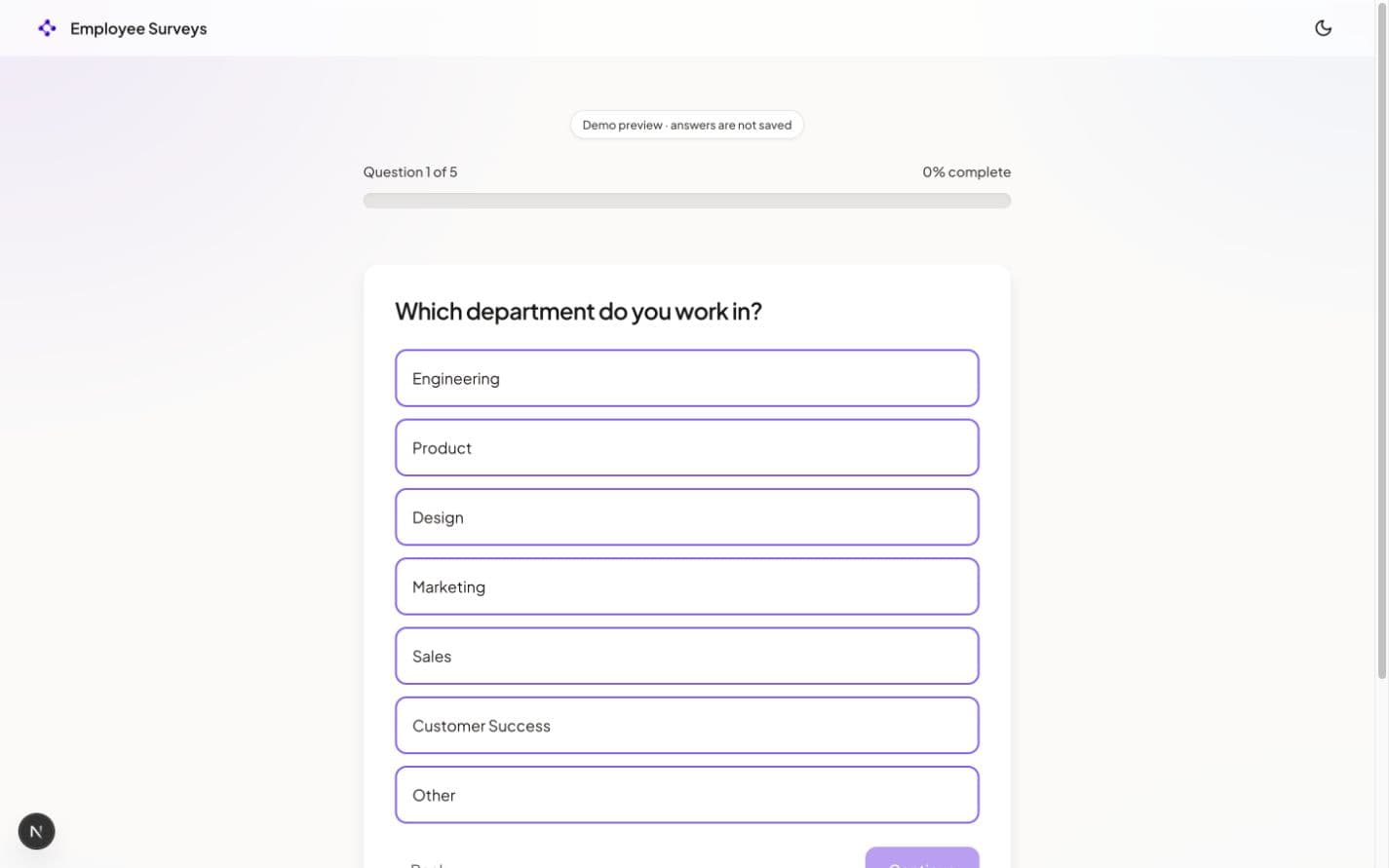
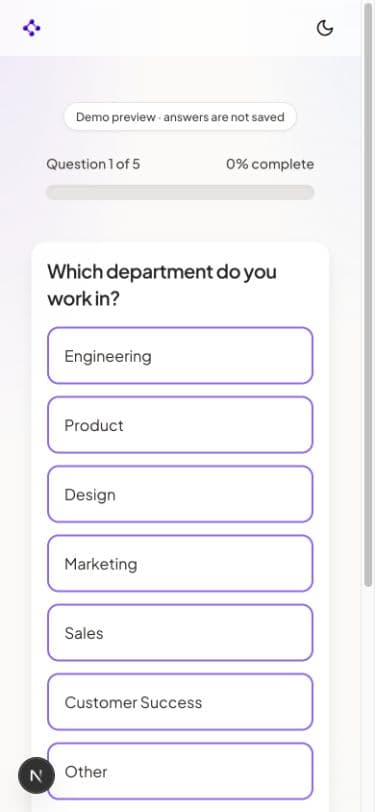
Each question appears on its own, with the same straightforward experience on desktop and mobile.
- One clear question at a time
- Optional anonymous responses
- Available in 14 languages
Results and reports
Review the whole organization, then look at each team.
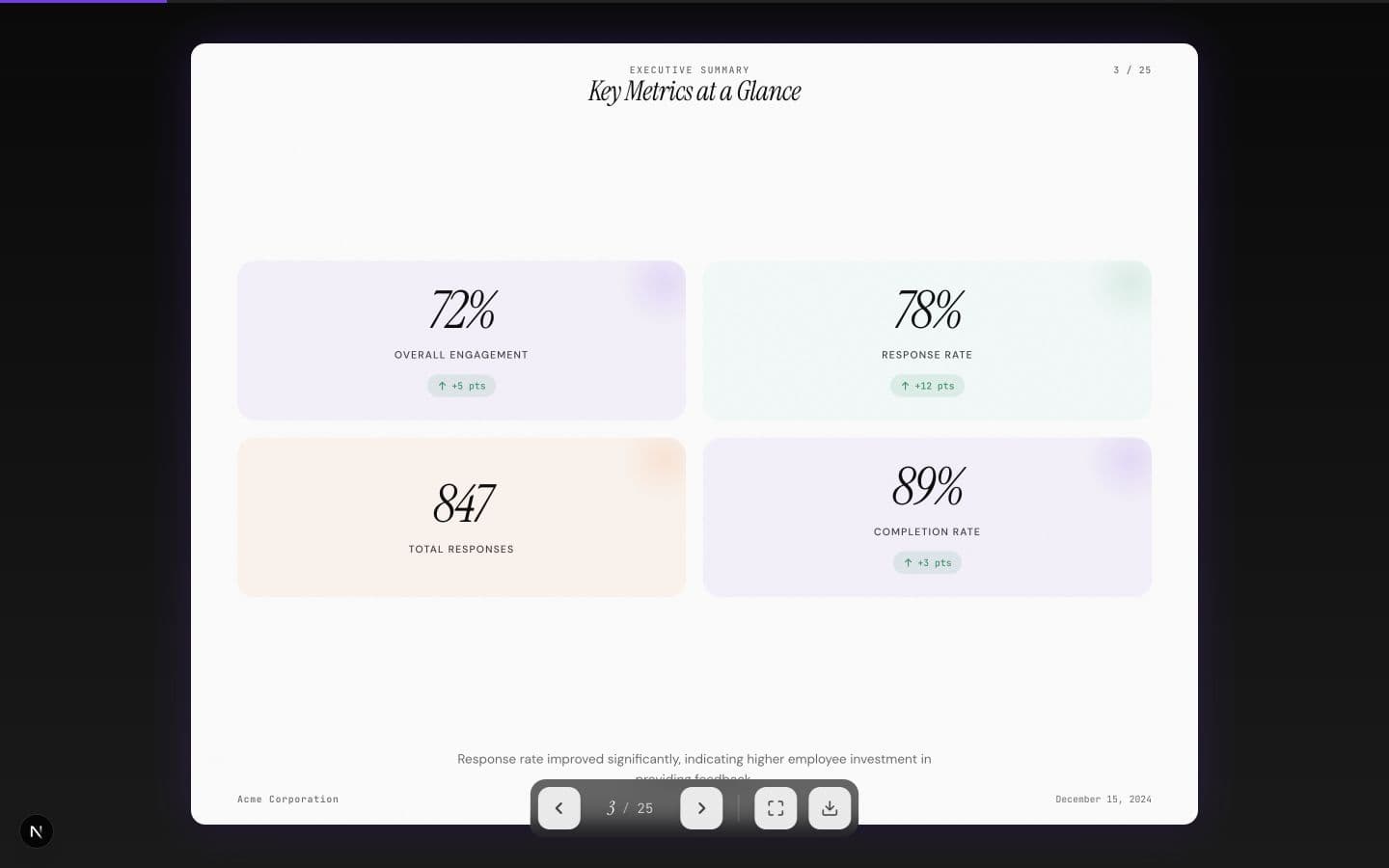
See company-wide results, then create separate reports for teams when your survey includes team data.
Response analyticsScores, answer breakdowns, themes, and written comments.
Draft reports from your resultsUse AI to create a first draft, then check and edit it before you share it.
Slides and data exportsOpen the slide report or export the response data for your own analysis.
Organization + team reports
Recurring pulse surveys
Run the same survey again and compare what changed.
Set regular checkpoints, keep the core questions consistent, and compare organization and team results over time.
- Monthly, quarterly, twice-yearly, or custom checkpoints
- Privacy-aware comparisons for the organization and teams
- AI report drafts that include checkpoint trends
Quarterly engagement pulseThree checkpoints
Overall engagement
Change by categoryQ3 vs Q2
Leadership78%+6
Belonging74%+6
Workload48%+3
Growth57%-4
Create a pulse reportUse the latest results and compare them with earlier checkpoints.
From setup to results
Run your survey from one place.
Start with research-informed questions
Choose a ready-made survey or build your own from the question library.
Make it your own
Edit the questions, language, brand color, and anonymous response settings.
Share one link
Send employees one survey link, then follow responses as they come in.
Review results and create reports
See organization and team results, then generate an editable AI report draft.
Works with your AI tool
Create and refine a survey from ChatGPT or Claude.
Paste one instruction into your AI tool. It connects securely, uses Happily’s vetted question library, and creates or revises a private draft for you to review.
- Research-backed questions first
- Create and revise private drafts
- You review every question before publishing
ChatGPT or ClaudeNew conversation
Connect to Happily Surveys, help me shape an engagement survey, then create a private draft.
Secure connection
Private draftQuarterly engagement check-in12 questions · Ready to reviewReview in Happily Surveys
Simple pricing
Analyze 50 responses free. Pay once for one survey or use Pulse for recurring cycles.
Response collection never stops. Analyze the first 50 responses free, unlock one complete survey with a one-time payment, or use Pulse for recurring checkpoints.
Free
$0
Up to 50 responses per survey · 1 AI report draftCreate and send surveys, collect every response, and fully analyze the first 50 responses in each survey.
- Create, customize, and send surveys
- Full results and core analytics for the first 50 responses
- One editable AI report draft included · extra reports from $9
One-time survey unlock
$199
Early access price · normally $249Pay once to analyze a complete response set. No subscription or monthly commitment.
- Complete analysis for up to 250 responses
- 5 editable organization or team report drafts
- Review, edit, and export before sharing
Pulse
$149
per month · up to 1,000 responses per checkpointFor HR teams that run recurring checkpoints and want shared report credits, team members, and trend comparisons.
- 25 shared AI report credits each month
- Pulse checkpoints and organization/team trends
- Up to 5 workspace members · annual billing available
Extra AI report credits are $9 each, $39 for five, or $69 for ten. Early access survey unlocks are $199 for up to 250 responses, $499 for up to 1,000, and $999 for up to 2,500. Standard prices will be $249, $599, and $1,199. Pulse is $149/month or $1,490/year for up to 1,000 responses per checkpoint. Stripe handles secure checkout.

Research-informed questions
Use questions backed by research.
See why each question is included, then choose what fits your survey.
Explore the research libraryEmployee survey FAQ
Employee engagement survey questions, answered.
Is Happily Surveys free for employee engagement surveys?
Yes. You can create, customize, and send surveys, collect every response, fully analyze the first 50 responses in each survey, and generate one editable AI report draft for free. Collection continues after response 50. You only pay when you want to unlock the complete result set for a larger survey.
How do I create and send an employee engagement survey?
Start with a survey template or the question library, edit the questions and settings, then share one survey link with employees. The response experience works on desktop and mobile, and results appear as responses come in.
Can I customize the questions, branding, and survey language?
Yes. You can edit, add, remove, and reorder questions, choose response types, adjust the brand color, and set required questions. Happily Surveys supports 14 survey languages.
Is Happily Surveys PDPA compliant, and can responses be anonymous?
Happily Surveys is designed to support PDPA-compliant employee surveys, including anonymous response options and controlled access to survey data. The survey owner remains responsible for the lawful basis, privacy notice, retention rules, access decisions, and employee data requests.
How much do AI-generated employee survey reports cost?
Your first AI report draft is included on the free plan. Extra report credits cost $9 each, $39 for five, or $69 for ten. One-time survey unlocks are $199, $499, or $999 during early access. Pulse is $149 per month or $1,490 per year and includes 25 shared report credits each month.
What does the AI employee survey report include?
The report generator creates an editable first draft from your survey results, with organization and team views. You can check the findings, revise the wording, and export slides or response data before sharing anything.
Can I analyze employee engagement results by team?
Yes. When your survey collects team information, you can review organization-level results and create separate team report drafts. Avoid sharing a team breakdown when the group is small enough that an individual response could be identified.
Can I export my survey data or host the platform myself?
Yes. You can export response data and report slides. The project is also open source, so a technical team can review the code, adapt it, and run its own deployment.
Can I run recurring pulse surveys and compare results over time?
Yes. You can use an existing survey as the first checkpoint in a monthly, quarterly, twice-yearly, or custom pulse. Keep the core questions consistent, compare organization and team results between checkpoints, and create AI report drafts that include the trend.
Start your first survey
Create an employee engagement survey.
Customize the questions, share the link, and review the results and reports.